I wanted to build something small.
Not small in the sense of unfinished, but small in the sense of focused. Daily Whisper is a calm, minimal mobile app that sends one short encouraging message each day. No feed. No account. No dashboard. No streak pressure. Just one message, once a day, with enough presence to feel intentional.
The idea was simple: what if your phone could quietly interrupt you with something that helped you keep going?
The Product Shape
From the beginning, I wanted Daily Whisper to have only three core experiences:
- Onboarding
- Today
- Settings
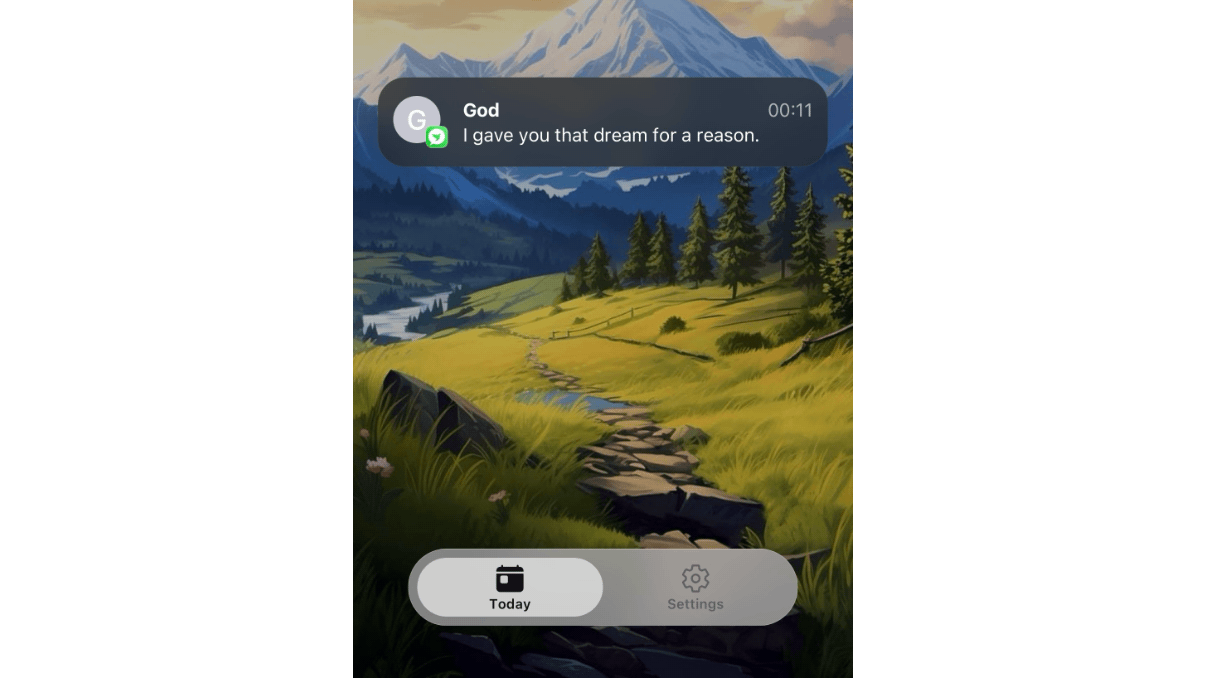
That constraint shaped almost every decision. The Today screen does not have a big heading or a complicated interface. It simply shows the current message in a notification-style card. Settings holds the secondary controls: notification status, pause options, test notifications, sharing, legal links, and development tools.
The goal was not to build a productivity app. It was to build a small daily rhythm.
That meant resisting a lot of tempting features. I could have added categories, accounts, streaks, favorites, history, reminders, or a quote library. But every new surface would have made the app feel more like software and less like a quiet daily message.
The Stack
Daily Whisper is built with:
- Expo SDK 57
- React Native
- TypeScript
- Expo Router
- Expo Notifications
- AsyncStorage
- Expo Dev Client
- A custom Expo config plugin
- Native Swift for iOS notification behavior
- Native Kotlin for Android notification behavior
There is no backend, no authentication, and no external database. The messages live locally in the app. Settings and scheduled notification records are stored locally with AsyncStorage.
That local-first approach kept the app simple, private, and fast to iterate on.
Onboarding: Keep It Short
The onboarding flow started as one of the most important product decisions.
I did not want a long education flow. The app does not need five screens explaining itself. So onboarding became two screens:
The first screen welcomes the user and explains the promise: one encouraging message each day.
The second screen asks for notification permission.
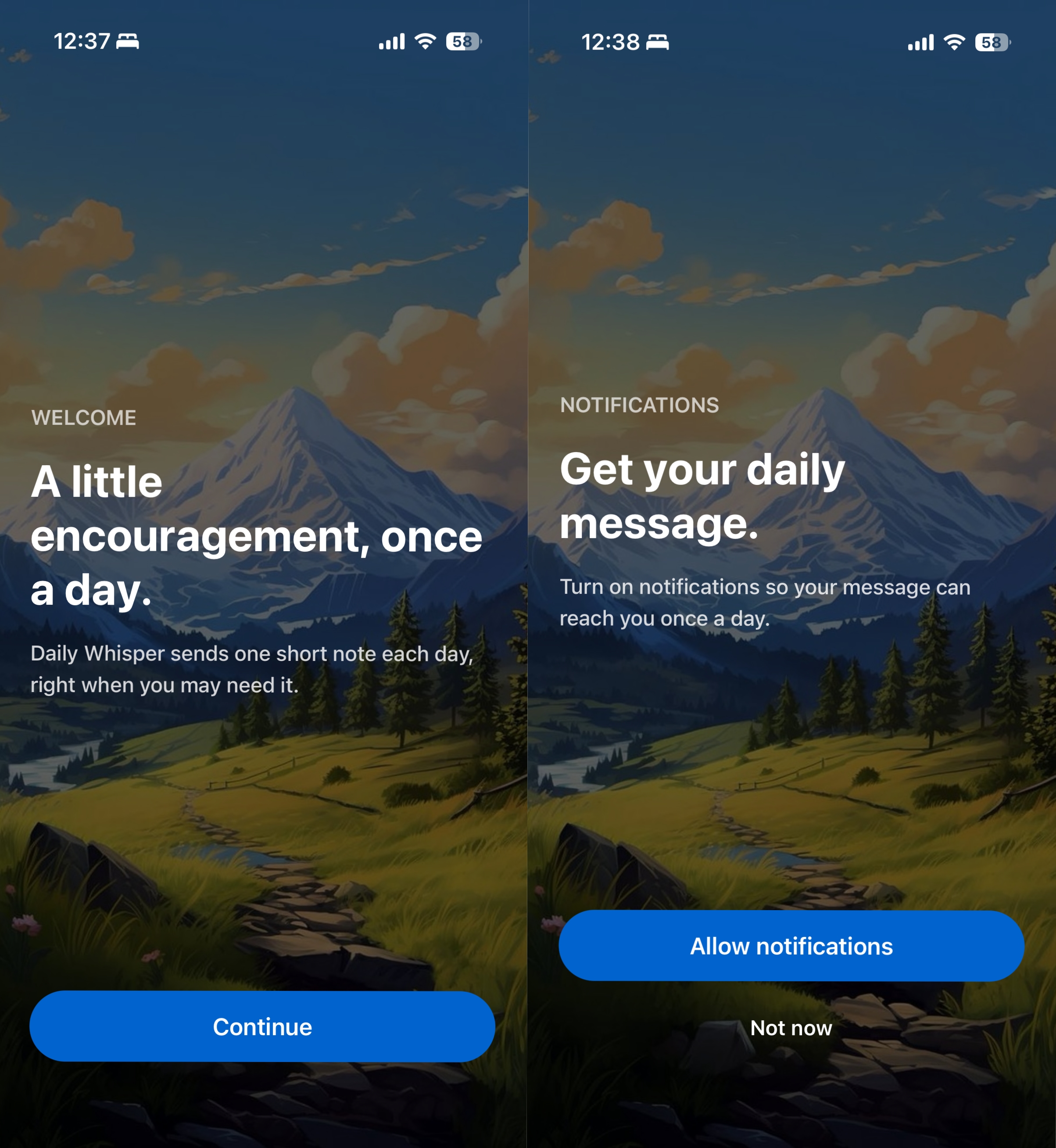
The notification permission matters because notifications are not a secondary feature in this app. They are the main delivery mechanism. If notifications are off, the product is mostly passive.
So the app also checks permission after onboarding. If notifications are disabled, it can show a simple prompt asking the user to allow permission. If permission was denied at the system level, it sends the user to Settings.
The Message System
The app contains a full year of short motivational messages.
The regular daily messages are scheduled locally. The app schedules future notifications, saves its own local record of each scheduled message, and uses that record to decide what the Today screen should show.
This was an important decision: the Today screen does not read from iOS or Android notification history. It reads from the app’s own local scheduledNotifications records.
That made the app more predictable. Operating systems own notification delivery, but the app owns its own understanding of what it scheduled.
There are two kinds of message selection:
Regular daily messages are date-based, so each day gets a stable message.
User-triggered messages, like onboarding and test notifications, use a local cursor so they do not keep repeating the same message.
The app also schedules messages within a morning window instead of at the exact same minute every day. That keeps the daily message from feeling too mechanical.
The First Big Hurdle: Local Notifications vs Push Notifications
At first, notifications sounded straightforward. Expo has expo-notifications, and the app only needed local notifications.
Then iOS signing entered the chat.
I hit errors around Push Notifications, provisioning profiles, and the aps-environment entitlement. The important realization was that Daily Whisper did not need remote push notifications at all. It only needed local scheduled notifications.
So the fix was not “make push notifications work.” The fix was to remove the push entitlement and keep the app local-only.
That decision simplified the app and matched the product better. There is no server deciding when to message you. The app schedules the messages itself.
Making iOS Notifications Feel Like a Message
The next challenge was visual.
I wanted the notification to feel like it came from a contact. The desired look was a circular sender avatar with the app icon badge attached, similar to a message notification.
Expo’s JavaScript notification API can schedule local notifications, but it does not expose every native iOS notification style. To get closer to the contact-style notification, I needed iOS Communication Notifications.
That meant using native iOS APIs like INSendMessageIntent, INPerson, and UNNotificationContent.updating(from:).
Instead of manually editing the generated ios/ folder, I added the native code through an Expo config plugin. The plugin generates the Swift and Objective-C bridge files during prebuild, registers them in the Xcode project, and keeps the native setup reproducible.
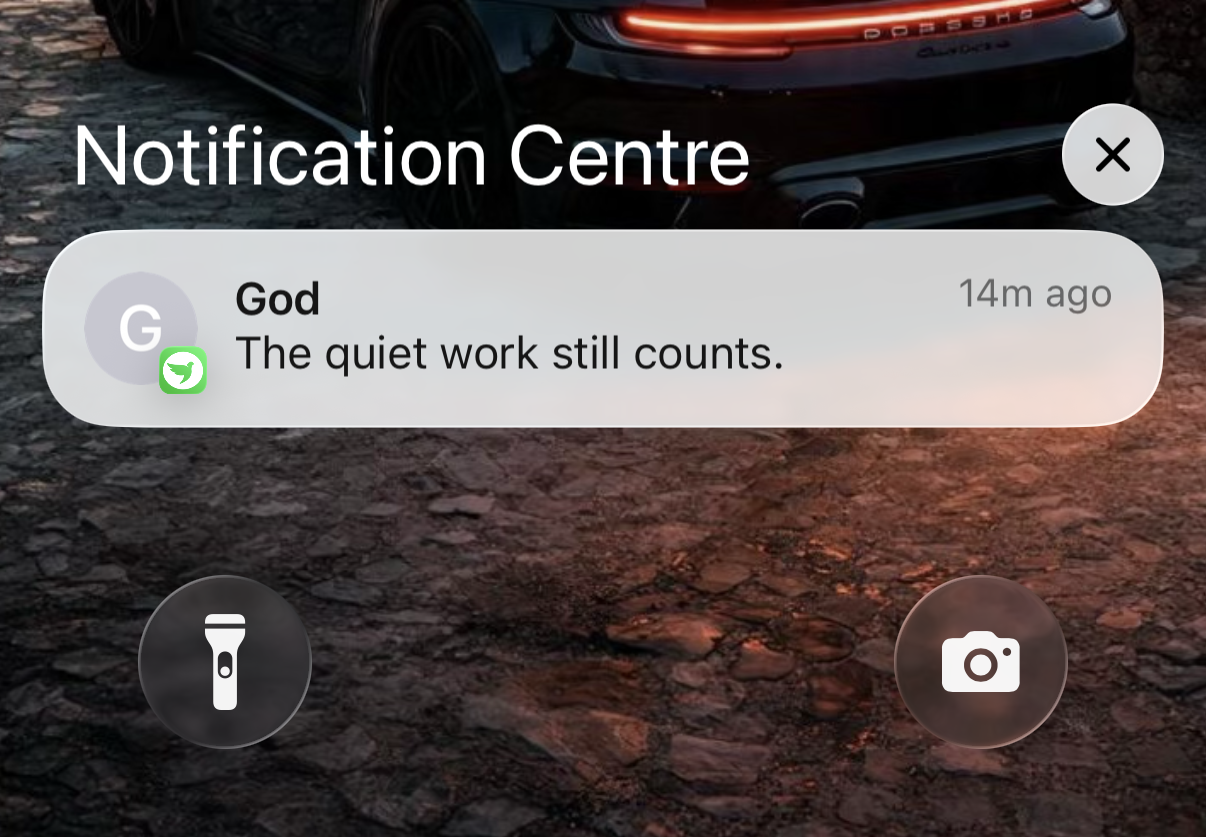
This worked beautifully in the simulator.
Then I hit another Apple-shaped wall: Communication Notifications require an Apple capability that a free personal team cannot sign for real device builds. The code compiled, but signing failed until the correct Apple Developer account capability was available.
That was a useful lesson: sometimes the hard part is not the code. Sometimes the hard part is the entitlement.
Android Was Similar, But Not the Same
After iOS worked, I wanted Android to have the same feeling.
Android has its own idea of message notifications. The first implementation used Android’s MessagingStyle, which produced a message-like notification, but it was not the visual result I wanted. Android showed the app header and icon at the top, then showed the sender below it.
That was technically correct, but not emotionally right.
So I pushed the Android implementation further by using conversation notifications and long-lived shortcuts. The app now publishes a “God” conversation shortcut, attaches it to the notification, and gives Android the sender/avatar metadata it expects.
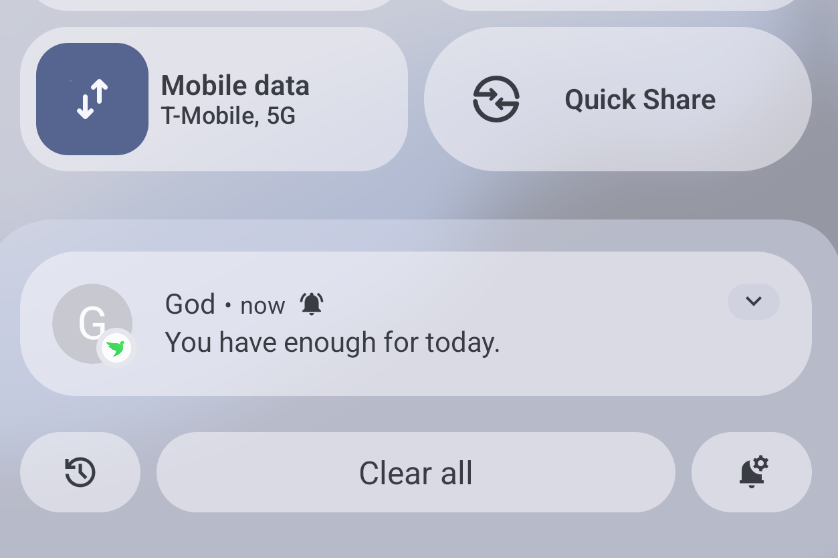
Even then, Android does not become iOS. And that was another product decision: respect the platform instead of forcing a fake clone.
The final Android version is the closest system-native equivalent. It uses Android’s conversation model, but the operating system still controls the final layout.
Why I Used an Expo Config Plugin
One thing I wanted to avoid was manually patching native project folders.
Expo prebuild can regenerate ios/ and android/, which is powerful, but it also means manual native edits are easy to lose. So the native notification work lives in a custom Expo config plugin.
That plugin handles things like:
- Removing the iOS push notification entitlement
- Adding iOS communication notification support
- Generating the Swift native module
- Generating the Objective-C bridge
- Generating the Android Kotlin notification module
- Registering the Android receiver
- Adding Android notification permission support
This kept the project Expo-friendly while still allowing native behavior where the product needed it.
The workflow became:
npx expo start --host lan
npx expo prebuild --platform ios --clean
npx expo prebuild --platform android --clean
npm run ios
npm run android
npm run typecheck
npm run lint
npm run format:check
For normal JavaScript and UI changes, Expo start was enough. For native notification changes, I rebuilt the development app.
The Today Screen
The Today screen seems simple, but it went through several small decisions.
At first, it only showed a message if today’s message had already arrived. That created an awkward empty state in the morning before the day’s notification was published.
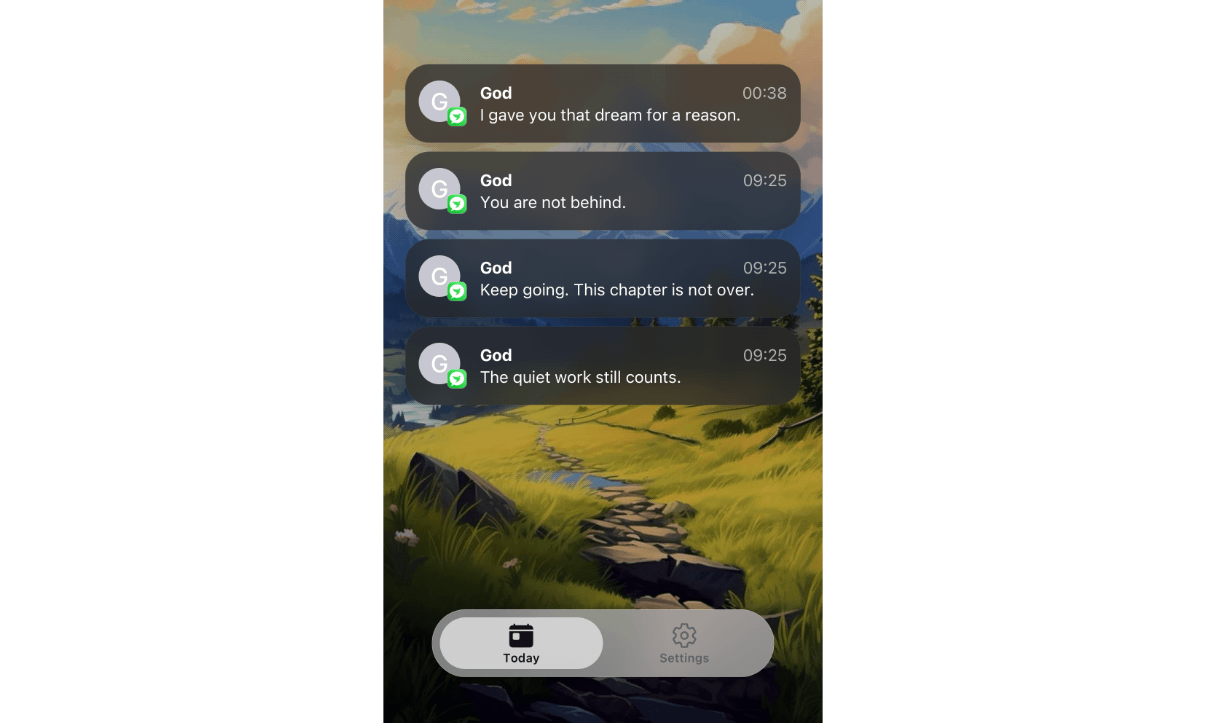
So I changed the behavior: if today’s message has arrived, show it. If not, show the most recent previous message.
That made the app feel continuous. The user should never open Daily Whisper and feel like the app has nothing to say, unless there has never been a delivered message at all.
There was also a platform behavior decision around scrolling. iOS bounce-scrolls even when content is shorter than the screen. Android does not. I briefly experimented with adding fake scroll space on Android, but removed it. The better decision was to stick with the platform default.
Settings: The Control Center
Settings became the home for everything secondary.
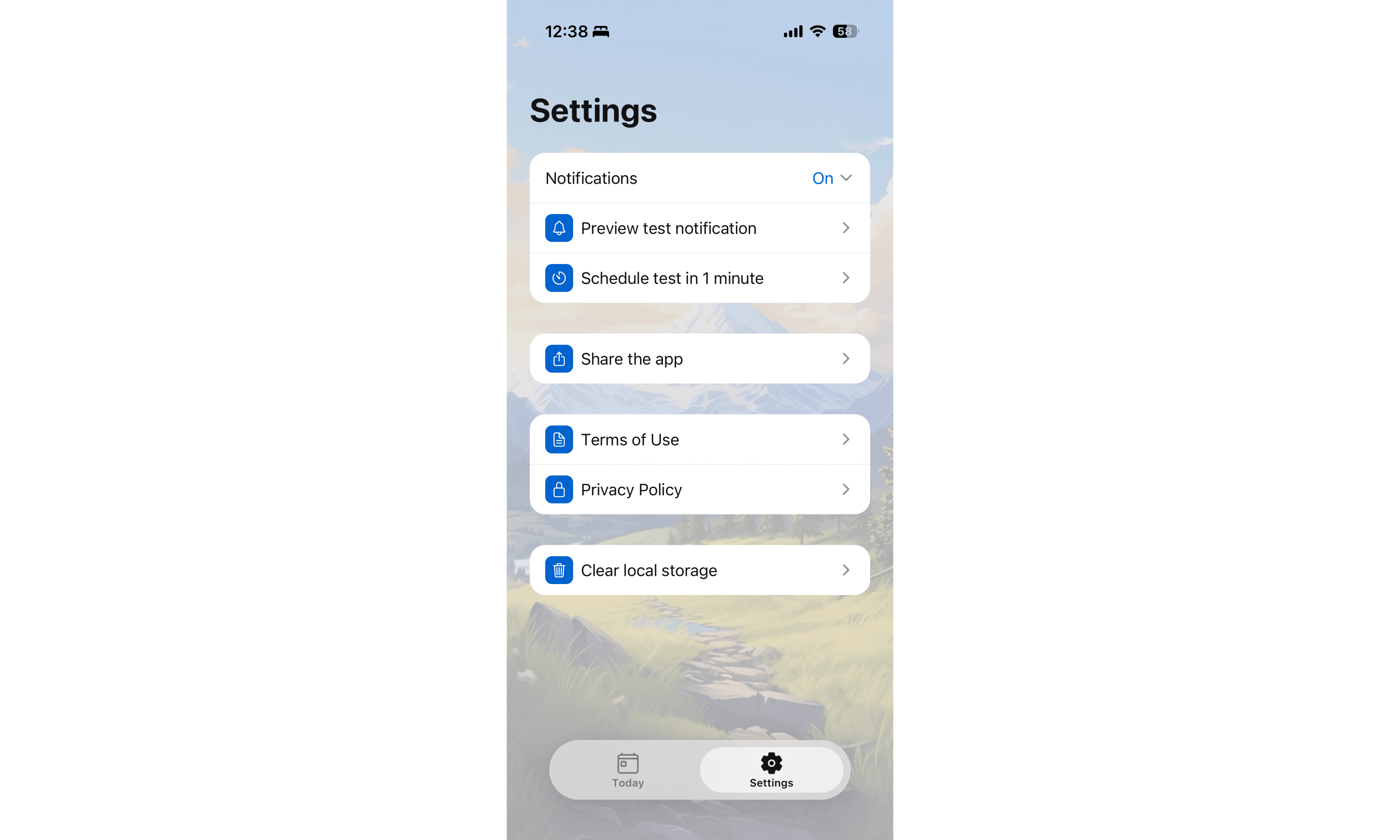
The app includes:
- Notification status
- Turn on notifications
- Pause today
- Pause 3 days
- Pause 1 week
- Unpause
- Preview test notification
- Schedule a test notification one minute from now
- Share app
- Terms of Use
- Privacy Policy
- Clear local storage in development
The pause feature required a small but important data decision. Pause state is stored explicitly on scheduled notification metadata. The app does not infer pause state just because the next scheduled notification is tomorrow. That distinction matters because tomorrow might simply be the next normal scheduled day.
Small Design Details
A lot of the app’s feel came from small details.
The Today card uses a notification-inspired design: sender, timestamp, message, avatar, and app badge. The app logo appears as the badge so it visually connects the in-app card with the real notification style.
The onboarding and Today screen share one mounted background image layer. That avoided a flicker that happened when switching from onboarding into the main app.
The tab bar uses a light glass-style treatment. On Android, I removed a blur method that caused Expo warnings because it required a configured blur target. In a small app, clean development output matters too. Warnings have a way of hiding real problems later.
What I Learned
The biggest lesson was that small apps still have serious engineering decisions.
Daily Whisper has no backend and only three screens, but it still required decisions around persistence, native capabilities, notification scheduling, platform differences, permission flows, generated native projects, and product feel.
A few lessons stood out:
Local notifications are simpler than push notifications, but not always simple.
Expo gets you very far, but native platform behavior sometimes requires config plugins.
iOS and Android should feel related, not identical.
The operating system is not always the source of truth your UI needs.
A tiny product promise can still require careful architecture.
And maybe most importantly: simplicity is something you protect. It does not happen automatically.
What I’d Improve Next
There are still things I could improve.
I would like to test the notification experience more deeply on real devices, especially across different Android versions. I may add better app store screenshots, a small product page, and eventually crash reporting or lightweight analytics.
I could also add personalization, but I would be careful. Daily Whisper works because it does not ask much from the user. Any new feature would need to preserve that feeling.
Final Thoughts
Daily Whisper started as a small idea: one message a day to help someone keep going.
The build became a reminder that even simple apps have layers. There is the product you imagine, the interface you design, the operating systems you negotiate with, and the tiny decisions that make the final thing feel alive.
I like that this app stayed small.
It does one thing.
It waits.
And once a day, it whispers.